Own or Rent? Running a WordPress Chatbot Business vs. Paying for Chatbase-Style Plans
Renting a hosted chatbot plan is simple. Owning the platform on WordPress means you set the prices. Here is how the two compare, and who each suits.
If you already have a help center, a docs section or a folder of saved email replies, you have most of what an AI support chatbot needs. The catch is that a chatbot does not read your content the way a patient customer does. It pulls pieces of it and uses them to answer. Messy, outdated or contradictory source material produces messy answers. This guide walks through a practical way to turn what you have into a knowledge base you can trust.
It is tempting to upload everything and hope for the best. A better first step is to list what customers actually ask. Pull from your inbox, contact form submissions, social messages and any live chat history you have.
For example, start with your top 20 questions. Group them roughly:
Now check each question against your help center. You will probably find three kinds of results: questions that are answered well, questions that are answered badly or buried, and questions that are not answered at all. That gap list becomes your to-do list.
Not every page deserves a place in the bot’s knowledge. Good candidates include your FAQ page, setup guides, pricing and plan pages, and policy pages. Be cautious with blog posts, old announcements and anything written for a specific campaign.
Before uploading, do a quick cleanup pass:
This step is boring, and it is also where most of the quality comes from.
Long pages that cover ten topics are harder to use than short entries that cover one. When you can, rewrite or split content into small, self-contained pieces:
It also helps to write a few short entries that do not exist on your site yet: your business hours, how to reach a person, and what the bot should say when it does not know. A clear "I’m not sure, here’s how to reach the team" entry is far better than a confident guess.
Return to your gap list. For each unanswered question, write a short, plain answer. You do not need to publish a polished article for every one. A two- or three-sentence entry that is accurate beats a long one that is vague.
Be careful with topics where a wrong answer has real consequences, such as legal terms, medical or safety advice, refunds and anything involving money. For those, either write precise wording and have someone review it, or tell the bot to point customers to a human.
Once your content is loaded, test it the way customers will use it. Take 15 to 20 real past questions and ask the bot each one. Then try variations: misspellings, very short questions, and two questions in one message.
For each answer, note whether it was:
Wrong answers usually trace back to a source problem: a contradiction, a missing entry or an old page. Fix the source, then ask again. Treat this as a loop, not a one-time task.
A knowledge base goes stale quietly. A simple routine helps:
On 247chatagent.com, members train bots on their FAQs and docs and embed a chat widget on their site. The Free plan is a lead magnet and uses keyword and canned answers only, so it is a reasonable place to practice organizing your content. Paid plans add Claude-powered replies, with a monthly reply cap that the site owner sets (the default is 50).
That cap matters when you plan your content. A clear, well-structured knowledge base helps customers get a useful answer in fewer messages, which makes the most of whatever cap you choose. The current paid plans on this site, which the owner can edit, are:
| Plan | Price | AI replies (default cap) | Bots |
|---|---|---|---|
| Starter | $29/mo | 50 | 1 |
| Growth | $79/mo | 50 | 3 |
| Scale | $199/mo | 50 | 10 |
| Agency | $299/mo | 50 | 25 |
For context, other tools price differently. Chatbase lists Hobby at $40, Basic at $150 and Business at $500 per month, and SiteGPT lists Starter at $59, Growth at $129 and Scale at $429 per month. These were checked in November 2026, so re-verify them before relying on them, as vendors change pricing.
None of this requires technical skill. It mostly requires deciding what is true, writing it down clearly and keeping it up to date.
Note: Competitor prices are as checked in November 2026 and may have changed. Plan details on this site are owner-editable, so confirm current pricing and caps on the pricing page before you sign up.
Educational article generated for this site. Competitor prices in the source facts were checked November 2026 — verify before relying on them.
Renting a hosted chatbot plan is simple. Owning the platform on WordPress means you set the prices. Here is how the two compare, and who each suits.
A chat widget can collect leads, but only if it earns the right to ask. Here is how to tell a helpful prompt from a pushy form, and how to set up the first one.
An AI chatbot is good at repeat questions, but some conversations need a person. Here are six clear signals to hand off, and how to do it without frustrating the visitor.
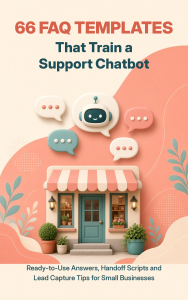
Ready-to-use answers, handoff scripts and lead capture tips for small businesses. Free PDF.